
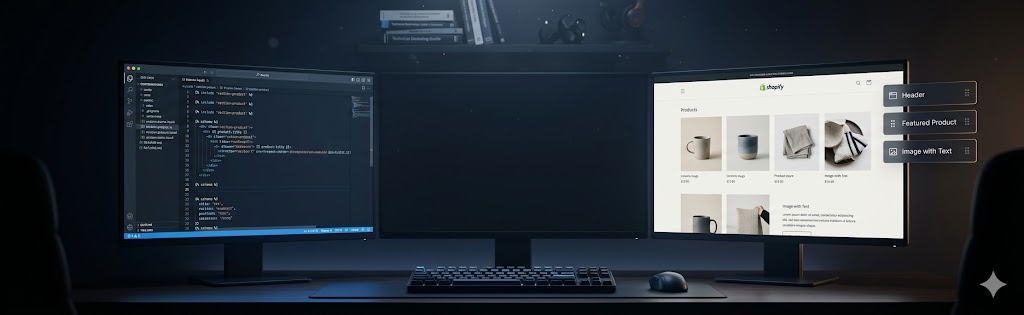
You have hit the ceiling of what Dawn and paid themes let you do, so you start pricing a custom Shopify theme — and the quotes swing wildly. Here is the part nobody warns you about: a good share of “custom theme” offers are really Dawn or a marketplace theme reskinned with your colors and logo, sold at custom prices. Below is what genuine custom theme development actually involves, when it is worth it, and how to tell the real thing from a reskin before you pay for it.
After building over 80 custom Shopify themes across the last eight years — from DTC startups doing their first $1M to enterprise brands processing tens of millions annually — I can tell you that custom Shopify theme development is one of the most high-impact investments a serious ecommerce brand can make. It’s also one of the most misunderstood. In this guide, I’ll explain exactly what custom Shopify theme development involves, when it’s worth doing, and what it costs — so you can make an informed decision.
1. What Is Custom Shopify Theme Development?
Custom Shopify theme development means building a unique storefront design and functionality that doesn’t exist in any marketplace theme. Unlike purchasing a theme from the Shopify Theme Store and tweaking its colors, custom development starts from a design file — typically a Figma mockup — and translates every pixel into working Liquid, HTML, CSS, and JavaScript code.
The end result is a theme that is entirely yours: no shared codebase with thousands of other stores, no compromise on design, and no feature limitations imposed by a third-party theme developer. Every section, every block, every interaction is purpose-built for your brand and your customers.
Custom themes also tend to be significantly leaner than marketplace themes. Purchased themes are built to appeal to the broadest possible audience, which means they ship with dozens of features you’ll never use — and all that unused code still loads for your visitors. A custom theme includes only what you need, which has a direct positive impact on load speed and Core Web Vitals scores.
2. Liquid: Shopify's Templating Language Explained
Every Shopify theme is powered by Liquid, an open-source templating language created by Shopify’s founder Tobi Lütke in 2006. If you’ve worked with Twig, Jinja2, or Handlebars, Liquid will feel immediately familiar. If you haven’t, here’s the core concept: Liquid lets you embed dynamic data into static HTML using a simple tag syntax.
Liquid Tag Types
There are three types of Liquid tags you’ll encounter constantly:
- Output tags
{{ }}— render a value to the page (e.g.,{{ product.title }}) - Logic tags
{% %}— control flow like{% if %},{% for %},{% assign %} - Comment tags
{%- comment -%}— for developer notes that don’t render
A typical product page template will use Liquid to loop through product variants, display inventory levels, render metafields, and conditionally show promotional badges. Mastering Liquid’s filter system — which transforms output values (e.g., {{ product.price | money }}) — is fundamental to advanced Shopify development.
Sections and JSON Schema
Shopify’s Online Store 2.0 (OS2) architecture introduced section schema — a JSON block embedded within each Liquid section file that defines the merchant-editable settings. This is what allows merchants to drag-and-drop sections in the theme editor without touching code. Every custom section you build needs a well-structured schema to be merchant-friendly.
{% schema %}
{
  "name": "Featured Collection",
  "settings": [
    {
      "type": "collection",
      "id": "collection",
      "label": "Collection"
    },
    {
      "type": "range",
      "id": "products_to_show",
      "min": 2,
      "max": 12,
      "step": 2,
      "default": 6,
      "label": "Products to show"
    }
  ],
  "presets": [
    {
      "name": "Featured Collection"
    }
  ]
}
{% endschema %}
3. Dawn vs. Custom Theme: Which Should You Build On?
Dawn is Shopify’s official reference theme — open source, performance-optimized, and the foundation for most marketplace themes. When a client asks me about custom Shopify theme development, the first strategic decision is whether to extend Dawn or build from scratch.
Building on Dawn
Dawn-based development means starting with Shopify’s codebase and layering custom design and functionality on top. Advantages include faster development time, built-in accessibility features, and Shopify’s own performance optimizations. The trade-off is that you inherit Dawn’s HTML structure and CSS architecture, which can make radical design departures difficult and can result in CSS specificity battles.
I recommend a Dawn-based approach when: the design is relatively conventional (clean grid layout, standard product page), the timeline is tight (under 6 weeks), or the budget is under $15,000.
Building a Fully Custom Theme
A theme built from scratch — often called a “blank canvas” or “boilerplate” approach — gives complete architectural freedom. You define the HTML structure, the CSS methodology (I typically use a BEM-inspired utility system), and the JavaScript patterns. The result can be dramatically different from any other Shopify store and can achieve performance scores that Dawn-based themes struggle to match because there’s truly no dead code.
Full custom builds are right for brands with strong, opinionated design systems; stores that need highly unusual layouts (editorial, luxury, immersive); and Shopify Plus merchants who need deeply customized checkout flows.
4. The Custom Shopify Theme Development Process
Here’s how I structure every custom Shopify theme project at WPDEV Agency, from first call to launch:
- Discovery & Scoping (Week 1): Review design files, audit existing store data, identify integrations (loyalty apps, subscriptions, custom metafields), define browser/device targets.
- Design Handoff & Component Inventory (Week 1–2): Work with the designer to audit every Figma component, flag ambiguities, define responsive behavior for each section.
- Development Environment Setup (Week 2): Initialize theme with Shopify CLI, set up GitHub repository, configure CI/CD pipeline for automated deployments to development store.
- Core Template Development (Weeks 2–5): Build all core templates — home, collection, product, cart, checkout customizations (Plus only), blog, page, search.
- Custom Sections & Blocks (Weeks 4–7): Build all merchant-editable sections with full JSON schema definitions.
- JavaScript & Interactions (Weeks 5–8): Quick-buy drawers, mega menus, product filtering, ajax cart, custom animations.
- Performance Optimization (Week 8–9): Image lazy loading, critical CSS, script deferral, font optimization, Core Web Vitals testing.
- QA & UAT (Weeks 9–11): Cross-browser testing, mobile QA, client User Acceptance Testing, content population.
- Launch & Handoff (Week 11–12): DNS cutover, post-launch monitoring, developer documentation, merchant training.
5. Custom Sections and Blocks: Making Themes Editable
One of the most important — and often underappreciated — aspects of custom Shopify theme development is making the theme genuinely editable by non-technical merchants. A theme that requires a developer to change the homepage layout is a failure, regardless of how beautiful it looks.
Shopify’s section and block architecture (introduced with OS2 in 2021) gives us a powerful system. Sections are independent page components — hero banners, featured collections, testimonials, image-with-text modules. Blocks are sub-components within sections — individual testimonial cards within a testimonials section, for example.
Designing Merchant-Friendly Schemas
The schema you define within each section determines what merchants can edit. Good schema design means using the right setting type for each option: image_picker for images, richtext for formatted text, color for brand color overrides, select for layout options. It means providing sensible defaults and writing clear labels and info text. It means structuring blocks so that merchants can add, remove, and reorder them without breaking the layout.
On every project, I deliver a “section library” — a documented inventory of every section, its settings, and screenshots of all variants. This becomes the merchant’s reference guide and dramatically reduces post-launch support requests.
6. Performance in Custom Shopify Themes
Performance is where custom themes consistently beat marketplace themes. I’ve migrated stores from popular paid themes to custom builds and seen Largest Contentful Paint improve by 40–60% and Total Blocking Time drop by over 80%. These aren’t vanity metrics — Google uses Core Web Vitals as a ranking factor, and load speed has a directly measurable impact on conversion rates.
Key Performance Strategies
- Critical CSS inlining: Extract and inline the CSS needed for above-the-fold rendering; defer the rest.
- JavaScript module splitting: Load only the JS modules needed for each page type. The collection page doesn’t need cart drawer JS on initial load.
- Native lazy loading: Use
loading="lazy"on all below-the-fold images. Shopify’s image CDN handles format negotiation (WebP, AVIF) automatically. - Font subsetting: Load only the character sets you actually use. For Latin-based brands, a subset font file can be 70% smaller than the full version.
- Third-party script audits: Review every app and remove scripts that aren’t essential. A single poorly-built app script can add 500ms+ of blocking time.
My performance target for every custom Shopify theme is a Lighthouse Performance score of 85+ on mobile and 95+ on desktop. For Shopify Plus stores, I also run PageSpeed Insights testing against competitors and include a performance comparison in the project deliverables.
7. Cost and Timeline for Custom Shopify Theme Development
Let me give you honest, experience-based numbers rather than vague ranges:
Cost Breakdown
- Dawn-based customization (significant redesign): $5,000–$12,000 / 3–6 weeks
- Fully custom theme (mid-complexity): $12,000–$22,000 / 6–10 weeks
- Fully custom theme (high complexity, Plus features): $22,000–$40,000+ / 10–16 weeks
Complexity drivers that push cost up include: custom product configurators, subscription integrations, B2B pricing logic, complex filtering and search, multi-currency and multi-language setups, heavy animation work, and custom checkout extensions (Shopify Plus only).
What's Included vs. What Costs Extra
A standard custom theme engagement at WPDEV Agency includes all templates, all sections defined in the design, mobile responsiveness, cross-browser QA, performance optimization, and a handoff session. What typically costs extra: app integrations beyond standard ones, post-launch content population, ongoing maintenance retainers, and additional page designs added mid-project.
If you’re ready to discuss a custom Shopify theme for your store, visit our Shopify theme development service page or get a free project quote.
The $500K annual revenue threshold is a useful starting point, not a hard rule. I’ve worked with stores at $300K where a custom theme genuinely moved conversion rate — and $2M stores where the existing Dawn-based theme was already well-optimized and a rebuild would have been churn. The honest question to ask yourself: is your current theme actively limiting what you can test, design, or implement? If the answer is yes, that’s the signal. If not, optimize the existing theme first and revisit the custom build question in 6–12 months.
8. Spotting a Reskinned Dawn Sold as a Custom Theme
Because “custom” is unregulated, some studios take Dawn or a Themeforest theme, swap your colours, fonts and logo, and invoice it as a custom build. It demos beautifully — it is a polished theme underneath — but you are paying bespoke rates for a reskin, and you inherit the base theme’s structure and limits.
Three checks settle it. Ask to see a design made for you in Figma and approved before development — a genuine custom theme starts there; a reskin cannot show you one because the layout already existed. Ask straight out which base theme they start from; “we customize Dawn” is a customized template, not a custom theme. And after handoff, the theme name and file structure in your admin will tell you whether it is Dawn wearing your brand or Liquid written for you.
A reskinned theme is a perfectly fine product at reskin pricing — the problem is only paying custom rates for it. If you need layouts, sections or a checkout flow the base theme cannot do, that is where real custom Shopify theme development earns its cost. The clean Liquid we ship also keeps stores fast, averaging 92 on Lighthouse.
Frequently Asked Questions
Shopify themes are built using Liquid, Shopify’s own Ruby-inspired templating language. Alongside Liquid, developers use HTML, CSS, JavaScript, and JSON schema files. Liquid handles dynamic data like product titles, prices, and cart contents, while JavaScript powers interactive elements like the cart drawer and product variant selectors.
Liquid is Shopify’s open-source templating language — the layer that injects store data (products, collections, cart, customer info) into HTML. A theme is built from Liquid templates, sections, and snippets that use objects, tags, and filters to render dynamic content. You can’t run arbitrary server-side code on Shopify, so Liquid — plus front-end JavaScript and the APIs — is how custom theme logic and layouts are expressed.
Dawn is Shopify’s free reference theme — a clean, fast, well-structured starting point. For many projects, customizing Dawn is the pragmatic choice: you inherit good performance and OS 2.0 sections and only build what’s unique. A fully custom theme from scratch makes sense when the design and UX diverge significantly from Dawn’s structure, or when you need complete control over markup and performance. Many professional builds start from Dawn and heavily customize rather than from a blank theme.
Buy a premium theme if you’re early-stage, have under $500K in annual revenue, or have a limited budget. Build custom if your brand has specific design requirements that no theme can meet, you need unique functionality, or your store is generating significant revenue and conversion rate improvements will deliver a meaningful ROI on the development investment.
Build sections with a JSON schema (the schema block) that exposes settings — text, images, colors, ranges, collection pickers — and define blocks so merchants can add, remove, and reorder elements in the theme editor. Group sections and set presets so they’re easy to drop onto templates. The goal is to give merchants meaningful control over content and layout without letting them break the design, which is the core of a maintainable custom theme.
Focus on Core Web Vitals: lazy-load below-the-fold images and serve them as WebP at correct sizes, inline critical CSS and defer the rest, defer non-essential JavaScript, and optimize font loading. Minimize third-party app scripts, which are the most common cause of slow Shopify stores. Custom themes have the edge because you load only what each template needs, rather than the everything-everywhere approach of many off-the-shelf themes.
A custom Shopify theme typically costs between $5,000 and $40,000+ depending on complexity. A significant Dawn-based customization may cost $5,000–$12,000. A fully bespoke theme with unique sections, animations, and Shopify Plus integrations can reach $22,000–$40,000. Timeline ranges from 3 weeks for lighter projects to 12+ weeks for complex builds.
A custom Shopify theme typically takes 4–12 weeks to develop. A Dawn-based customization may take 3–5 weeks. A fully custom theme built from scratch with complex sections, animations, and Shopify Plus checkout extensions typically takes 8–12 weeks. Timeline depends heavily on design file completeness at project start and how quickly client feedback is provided.
Yes. When we build a custom Shopify theme for you, you own the code outright. It lives in your Shopify admin, your team can edit it in the theme editor, and any developer can maintain it later – there is no lock-in to us.
Usually, yes. Premium and multipurpose themes load features and scripts most stores never use, which slows pages. A custom theme ships only what your store needs, so it typically scores higher on Core Web Vitals and PageSpeed – and faster, cleaner pages help SEO as well as conversions.
Yes. We build custom themes on the Online Store 2.0 architecture – JSON templates, sections everywhere, and app blocks – so merchants can add, reorder, and configure sections on any page from the theme editor, and the theme stays compatible with new Shopify features and apps.
No. AI speeds up theme work by generating Liquid and CSS snippets and debugging, but it does not replace the judgment needed for store architecture, performance, accessibility, and merchant-friendly editing. In practice AI makes experienced developers faster – polished, conversion-focused themes still need a developer to design and ship them.
Ask three questions before you pay. First, can they show you a design made for your store in Figma, approved before development began? A genuine custom theme starts there; a reskin cannot show you one because the layout already existed. Second, which base theme do they start from – ‘we customize Dawn’ means a customized template, not a custom theme. Third, after handoff, check the theme name and file structure in your Shopify admin; it reveals whether it is Dawn wearing your brand or Liquid written for you. A reskin is fine at reskin pricing – the only problem is paying custom rates for it.
Related Services & Articles
Related Shopify development services and guides for building your store.
Custom Shopify Theme Development Service
Custom Liquid themes built for speed and conversions.
View service