
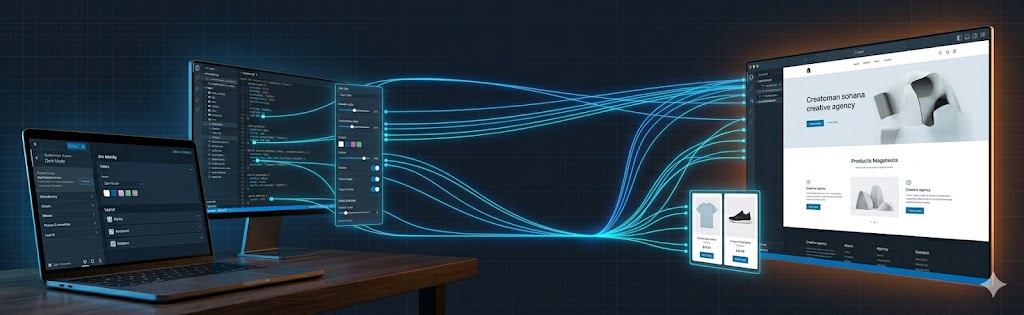
The WordPress Customizer API gives theme and plugin developers a standardized way to add live-preview options to the WordPress admin. Instead of custom settings pages with a save-and-reload workflow, the Customizer lets users see changes in real time before publishing.
This guide walks through the full API: architecture, adding panels/sections/settings/controls, selective refresh, postMessage transport, sanitization, and best practices for 2026.
Customizer API Architecture
The Customizer is built on four hierarchical objects:
- Panels — top-level groupings (e.g., “Theme Options”)
- Sections — groups within a panel (e.g., “Header”, “Colors”)
- Settings — individual stored values (saved to wp_options or theme_mods)
- Controls — the UI elements bound to settings (text, color picker, select, etc.)
All Customizer registration happens in a callback hooked to customize_register, which receives a WP_Customize_Manager instance.
Registering a Panel, Section, Setting, and Control
add_action( 'customize_register', function( WP_Customize_Manager $wp_customize ) {

    // Panel
    $wp_customize->add_panel( 'theme_options', [
        'title'    => __( 'Theme Options', 'my-theme' ),
        'priority' => 160,
    ] );

    // Section
    $wp_customize->add_section( 'header_options', [
        'title'    => __( 'Header', 'my-theme' ),
        'panel'    => 'theme_options',
        'priority' => 10,
    ] );

    // Setting
    $wp_customize->add_setting( 'header_bg_color', [
        'default'           => '#ffffff',
        'transport'         => 'postMessage',
        'sanitize_callback' => 'sanitize_hex_color',
    ] );

    // Control
    $wp_customize->add_control(
        new WP_Customize_Color_Control(
            $wp_customize,
            'header_bg_color',
            [
                'label'   => __( 'Header Background Color', 'my-theme' ),
                'section' => 'header_options',
            ]
        )
    );
} );
Retrieving Customizer Values in Templates
Use get_theme_mod() for theme_mods storage (recommended for theme options) or get_option() for options storage:
// In your theme template or functions.php
$header_bg = get_theme_mod( 'header_bg_color', '#ffffff' );

// Inline CSS output
add_action( 'wp_head', function() {
    $header_bg = get_theme_mod( 'header_bg_color', '#ffffff' );
    $header_bg = sanitize_hex_color( $header_bg );
    echo '<style>
        .site-header { background-color: ' . esc_attr( $header_bg ) . '; }
    </style>';
} );
postMessage Transport with JavaScript Bindings
The postMessage transport avoids iframe refreshes by communicating directly with the preview pane via JavaScript. You must enqueue a JS file and write bindings:
// Enqueue customizer JS
add_action( 'customize_preview_init', function() {
    wp_enqueue_script(
        'my-theme-customizer',
        get_template_directory_uri() . '/js/customizer.js',
        [ 'customize-preview' ],
        '1.0.0',
        true
    );
} );
// js/customizer.js
( function( $ ) {
wp.customize( 'header_bg_color', function( value ) {
value.bind( function( newval ) {
$( '.site-header' ).css( 'background-color', newval );
} );
} );
} )( jQuery );Selective Refresh for PHP-Rendered Partials
For content that requires PHP re-rendering (e.g., the site title, nav menus, widget areas), use selective refresh instead of full page reload. Change the setting transport to postMessage and register a partial:
add_action( 'customize_register', function( WP_Customize_Manager $wp_customize ) {

    // Setting with refresh transport (default)
    $wp_customize->add_setting( 'site_tagline_display', [
        'default'           => true,
        'transport'         => 'refresh',
        'sanitize_callback' => 'rest_sanitize_boolean',
    ] );

    // Selective refresh partial
    $wp_customize->selective_refresh->add_partial( 'site_tagline_display', [
        'selector'        => '.site-description',
        'render_callback' => function() {
            bloginfo( 'description' );
        },
    ] );
} );
Available Control Types
Core Controls
- WP_Customize_Control — text, textarea, checkbox, radio, select
- WP_Customize_Color_Control — color picker
- WP_Customize_Media_Control — media library uploader
- WP_Customize_Image_Control — image-only uploader
- WP_Customize_Cropped_Image_Control — image with crop UI
- WP_Customize_Date_Time_Control — date/time picker (WP 4.9+)
Custom Controls
Extend WP_Customize_Control to build custom control types. Override the render_content() method:
class My_Toggle_Control extends WP_Customize_Control {
    public $type = 'toggle';

    public function render_content() {
        ?>
        <label>
            <span class="customize-control-title">
                <?php echo esc_html( $this->label ); ?>
            </span>
            <input type="checkbox"
                   value="1"
                   <?php $this->link(); ?>
                   <?php checked( $this->value() ); ?> />
        </label>
        <?php
    }
}
Sanitization Best Practices
Every setting must have a sanitize_callback. Never store raw user input:
// For select/radio — validate against allowed values
function my_sanitize_layout( $value ) {
    $allowed = [ 'boxed', 'full-width', 'sidebar-left', 'sidebar-right' ];
    return in_array( $value, $allowed, true ) ? $value : 'boxed';
}

// For integer ranges
function my_sanitize_range( $value, $setting ) {
    $min  = $setting->manager->get_control( $setting->id )->input_attrs['min'];
    $max  = $setting->manager->get_control( $setting->id )->input_attrs['max'];
    $step = $setting->manager->get_control( $setting->id )->input_attrs['step'];
    return $min <= $value && $value <= $max ? absint( $value ) : absint( $setting->default );
}
Customizer vs. Block Theme Settings (2026)
With WordPress 6.x, block themes (FSE) use theme.json for design tokens and Global Styles UI for live editing. The Customizer is still fully supported for classic themes and hybrid themes but is not the recommended path for new block themes.
Use the Customizer when:
- Building or extending a classic theme
- You need conditional logic between settings (show section B only if setting A is enabled)
- You’re adding non-design functionality (e.g., social media links, contact info, scripts)
- You need to support WordPress installations where FSE isn’t enabled
Frequently Asked Questions
Use the postMessage transport for the setting and bind a small JavaScript handler in the Customizer preview that updates the DOM as the value changes. This gives instant visual feedback without a full reload. For dynamic PHP-rendered output, pair postMessage with selective refresh so only the affected partial re-renders.
Use the active_callback argument when registering a control to show or hide it based on the value of another setting. The callback returns true or false depending on the related control’s current value, so the Customizer reveals only the options relevant to the user’s current choices.
Yes. Extend the WP_Customize_Control class to build custom controls – for example a repeater, a custom color or media picker, or a specialized input – then register your control and enqueue its scripts and styles. This lets you offer editing UI the default control types do not provide.
Map each Customizer option to its theme.json equivalent – colors, typography, spacing, and layout move into settings and styles, while global styles handle site-wide design. Some dynamic options may become block styles or patterns instead. Plan a migration that preserves users’ existing choices where possible, since the models differ.
Related Resources
More WordPress development services and guides for theme customization.
Custom Gutenberg Block Development
Build reusable blocks with register_block_type and block.json.
Read articleCustom WordPress Theme Development
Full-service theme development from Figma to production.
View serviceWordPress Theme Customization Guide
Options, child themes, and custom modifications explained.
Read article