
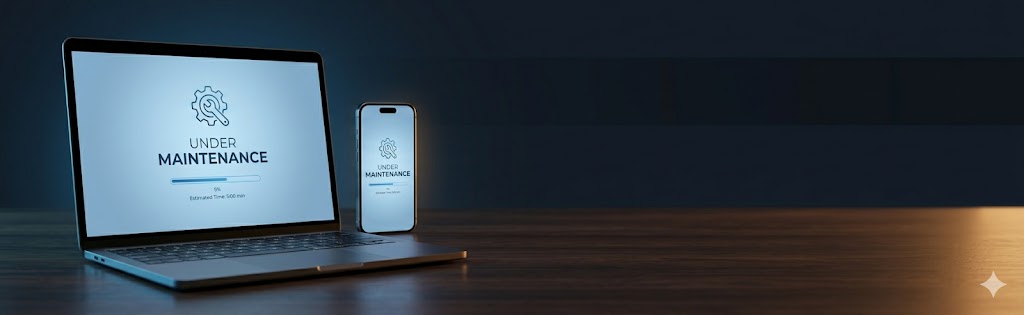
A good downtime message acknowledges the issue honestly, gives a realistic resolution time, offers an alternative contact method, and maintains your brand tone. Set up WordPress maintenance mode before your work begins — not after. Use one of the three copy-paste templates below.
Why Your Downtime Message Matters More Than You Think
When a customer visits your site and finds it down, their first reaction is frustration — but their second reaction depends entirely on what they see next. A blank page or a generic server error communicates carelessness. A well-crafted downtime message communicates competence, transparency, and respect for their time. The difference between “this company is unprofessional” and “this company has everything under control” is often a single 503 maintenance page.
For e-commerce businesses especially, the stakes are high. A customer who encounters your maintenance page at 2pm on a Tuesday is trying to buy something. Every minute of unexplained downtime costs you a conversion and potentially a customer relationship. A message that says “we’ll be back in 2 hours and here’s where else you can reach us” transforms a negative experience into a neutral — or even positive — one.
Over eight years managing WordPress deployments, I’ve seen clients lose customer trust not from the downtime itself but from how they communicated (or failed to communicate) during it. A proactive, honest maintenance page is one of the cheapest brand investments you can make.
What to Include in a Website Down Message
The anatomy of an effective downtime message has five components:
- Acknowledgment — State clearly that the site is temporarily unavailable. Don’t make visitors wonder if it’s their connection.
- Reason (optional) — “Scheduled maintenance” or “We’re making upgrades” is enough. You don’t need to explain a server failure in detail.
- Expected return time — Give a specific time if possible. “Back in 2 hours” is better than “back soon.” If you’re unsure, give a range.
- Alternative contact — Email address, phone number, or social media handle. Don’t strand visitors with no way to reach you.
- Brand-consistent tone — Casual brands can be warm and light about it; professional B2B brands should be formal and precise.
WordPress Maintenance Mode: How to Set It Up
WordPress has a built-in maintenance mode that activates automatically during plugin and core updates — you’ll recognize it as the “Briefly unavailable for scheduled maintenance. Check back in a minute.” message. For planned maintenance windows, you want to replace this with your own branded page well before you begin work.
The most reliable method is to create a .maintenance file in your WordPress root directory. Alternatively, use a plugin like WP Maintenance Mode or the maintenance mode feature built into most managed WordPress hosts (WP Engine, Kinsta, Flywheel all have this in their dashboards). For maximum control, create a custom maintenance.php file that bypasses WordPress entirely and serves your maintenance page directly from PHP — even if WordPress itself is broken.
5 Website Down Message Templates You Can Use Today
Template 1: Scheduled Maintenance
Template 2: Emergency / Unplanned Outage
Template 3: E-Commerce / High-Stakes Downtime
How to Announce Scheduled Downtime in Advance
Reactive maintenance pages are a last resort. Proactive communication prevents the frustration entirely. For planned maintenance windows, follow this sequence: 72 hours before, send an email to your customer list and post on social media. 24 hours before, publish a banner notification on your website. 1 hour before, send a reminder email to transactional users (anyone with open orders, active subscriptions, or in-progress checkouts).
The advance notice timing should scale with your traffic and business model. A 24-hour notice is appropriate for a blog; a 1-week notice may be necessary if you’re running enterprise SaaS or an e-commerce site with high transaction volume. For agencies and B2B services, always check with your key clients before scheduling major maintenance windows during their business-critical periods.
Technical Implementation: Custom Maintenance Page in WordPress
For maximum control and brand consistency, create a custom maintenance page that’s served by your server — not by WordPress’s PHP. This means even if WordPress’s database is offline during maintenance, your users still see a polished branded page rather than a database error.
The approach: create a static HTML file at /maintenance.html in your server’s document root, configure your web server (Nginx or Apache) to serve it for all requests when a .maintenance-active file exists, and use a deployment script to toggle that file on and off. This is infrastructure-level maintenance mode — completely independent of WordPress.
Your maintenance page is a brand touchpoint. Use one of the templates above, set it up before your maintenance window begins, and always include a direct contact method. Scheduled downtime announced in advance loses roughly 80% of the frustration that unannounced downtime generates.
Frequently Asked Questions
Send a short, honest message: acknowledge the issue, reassure them their data and orders are safe if true, give an estimated resolution time if you have one, and offer an alternative way to reach you or buy. Keep the tone calm and human, and follow up when service is restored.
Only as long as the work genuinely takes – ideally minutes to a couple of hours for planned maintenance. Schedule it for low-traffic periods, return a 503 status with a Retry-After header so search engines know it is temporary, and take the page down the moment the site is back to avoid lost traffic and trust.
Yes, if you can give a realistic one – it sets expectations and reduces frustration. Err on the side of a slightly longer estimate so you can beat it. If you genuinely do not know, say you are working on it and will update shortly, and provide a contact or status channel instead of a hard time.
Use a branded, reassuring maintenance page rather than a raw error, offer an alternative contact or social channel, and where possible capture interest with an email signup or a note about when you will be back. A 503 status protects SEO, and a calm, on-brand message keeps trust intact until you return.
Related Resources
Related services and guides to keep your site reliable and your customers informed.
Custom WordPress Development
Professionally built WordPress sites with zero-downtime deployment processes.
View serviceCustom Shopify Development
Shopify store builds with maintenance-aware deployment workflows.
View serviceEmergency WordPress Support
Fast-response support for sites experiencing downtime or critical errors.
Contact us