
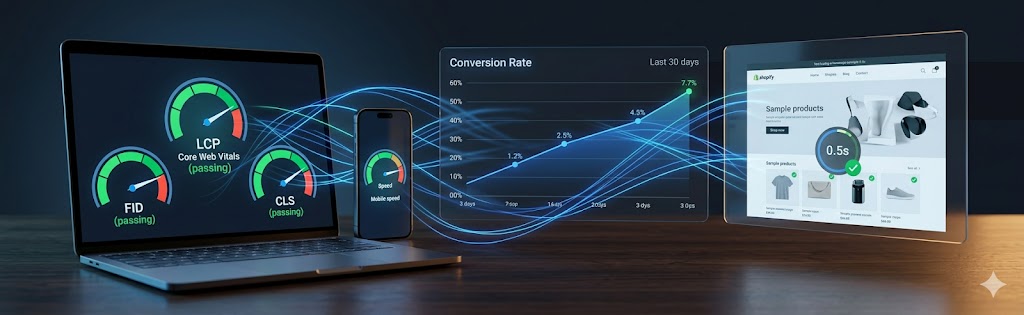
Your store is slow, or it is not converting, so you search “Shopify optimization services” — and the quotes make no sense: a $50 Fiverr gig, an agency retainer at $1,500/mo, and no way to tell what any of them actually do. Worse, some “speed optimization” services just game your PageSpeed score without making the store one bit faster for a real shopper. This guide breaks down what each type of optimization really is, which ones move revenue, and how to tell honest work from a padded invoice.
Shopify optimization services cover a range of technical and UX improvements designed to increase store speed, conversion rates, search rankings, and revenue per visitor. The term is broad — it can mean anything from compressing images to rebuilding your checkout flow.
This guide breaks down exactly what’s included in each type of optimization, which problems they solve, and when you need a developer versus when you can DIY it.
Types of Shopify Optimization Services
Speed Optimization
Core Web Vitals (LCP, CLS, INP), image optimization, script deferral, theme code cleanup
CRO
A/B testing, product page UX, cart abandonment, checkout flow improvements
SEO
Technical audit, structured data, canonical tags, page speed for rankings
Checkout
Checkout extensibility, upsell flows, address validation, payment method optimization
App Audit
Identifying and removing unused apps that load scripts and slow your store
Mobile UX
Tap target sizes, mobile layout issues, swipe gestures, load performance on mobile
Speed Optimization: What's Actually Involved
Core Web Vitals
Google’s Core Web Vitals (CWV) are the primary speed metrics that affect both rankings and user experience:
Common Speed Fixes on Shopify
- Hero image optimization: Convert to WebP, add fetchpriority=”high” to LCP image, remove lazy loading from above-fold images
- Remove render-blocking scripts: Audit third-party apps adding
What do Shopify optimization services include?
Shopify optimization services typically cover: Core Web Vitals and speed improvements (LCP, CLS, INP), conversion rate optimization (CRO) including checkout flow improvements, SEO technical audit and fixes, image compression and lazy loading, app bloat removal, and custom theme code review.
How much do Shopify optimization services cost?A one-time speed/CRO audit ranges from $500–$2,000 depending on store complexity. Ongoing optimization retainers typically run $500–$3,000/month. Enterprise Shopify Plus stores with high revenue justify larger investments given the direct revenue impact.
How long do Shopify optimization results take to show?Speed gains are immediate — once render-blocking scripts and image issues are fixed, Core Web Vitals improve on the next deploy, and Google typically reflects them in field data within about 28 days (the CrUX rolling window). Conversion and SEO gains take longer to confirm: CRO tests need enough traffic to reach statistical significance (often 2–4 weeks each), and ranking improvements from technical SEO usually surface over 4–12 weeks as Google re-crawls.
How much can Shopify optimization improve my conversion rate?Results vary widely. Typical speed optimization alone (improving LCP from 5s to under 2.5s) lifts conversions 15–30%. Combined with checkout UX and CRO improvements, total gains of 20–50% are achievable on stores with significant existing traffic.
What is a good conversion rate for a Shopify store?For most DTC stores, 1.5–3% is the typical range, with 2–2.5% a healthy benchmark; high-performing stores exceed 3.5%. But it's category- and price-dependent — low-priced impulse products convert higher than considered, high-ticket purchases. The more useful exercise is tracking against your own baseline over time and against your niche, not chasing a universal number.
Does Shopify store speed affect SEO rankings?Yes, both directly and indirectly. Core Web Vitals are a confirmed Google ranking signal, so a slow store (poor LCP or INP) can be outranked by faster competitors on otherwise equal pages. The larger effect is behavioral: slow pages raise bounce rates and lower conversions, weakening the engagement and revenue that make ranking worthwhile. Speed is rarely the single deciding factor, but on competitive terms it is often the tiebreaker.
How do I measure my Shopify store's Core Web Vitals?Use Google PageSpeed Insights or the Chrome UX Report for field data (real-user LCP, CLS, INP), and Lighthouse in Chrome DevTools for lab diagnostics and specific fixes. Google Search Console's Core Web Vitals report shows which URL groups pass or fail across the whole store. Test the templates that matter most — home, a collection, and a product page — since each can perform differently.
Can I optimize a Shopify theme myself?Basic optimizations (compressing images, removing unused apps, enabling Shopify's built-in CDN) are DIY-friendly. Advanced optimizations (theme Liquid refactoring, custom lazy loading, render-blocking script elimination, checkout extensibility) require developer expertise.
Is Shopify optimization a one-time project or ongoing?It can be both. A one-time project fixes the big issues - speed, app bloat, conversion friction, technical SEO - and delivers an immediate lift. Ongoing optimization then tests and refines continuously as your traffic, products, and Shopify itself change. Many stores start with a project and move to a lighter ongoing program.
Will Shopify optimization change my store's design or branding?Only where it helps performance or conversions, and always with your sign-off. Most optimization is technical - speed, code, structure, UX friction - and keeps your branding intact. Where we suggest design or layout changes, they are proposed and tested rather than imposed, so your brand stays consistent.
How do you decide what to optimize first?We prioritize by impact and effort - usually starting with speed and technical fixes, then the highest-traffic and highest-revenue pages (product, cart, checkout), then conversion friction surfaced by analytics and heatmaps. Tackling the biggest, easiest wins first means you see measurable results early.
Can Shopify optimization reduce my app and subscription costs?Often, yes. Part of optimization is auditing installed apps - many overlap, go unused, or can be replaced by native features or lighter code. Removing redundant paid apps both speeds up your store and cuts recurring fees, so optimization can partly pay for itself.
Are Shopify speed optimization services a scam?The legitimate ones are not, but the market is full of gamed results. A common cheap trick is to lazy-load and defer almost everything so your Google PageSpeed lab score jumps to 90-plus while the store does not actually load faster for a real shopper - sometimes it feels slower as content pops in. To tell the difference, test the store on a real phone on cellular and judge how it feels, check the field (CrUX) data in PageSpeed Insights rather than just the lab score, and ask exactly what was changed. Real optimization removes weight and improves both the score and the experience.
Related Resources
More ways to improve your Shopify store's speed, UX, and conversions.
Our Shopify Optimization Services
See how we audit and optimize Shopify stores end-to-end.
View service